Read, discover, and publish Standard.site writing
Inkwell is a reader and writer for the Standard.site publishing ecosystem on AT Protocol. Available for iOS and Android. Your writing lives on your Personal Data Server — no silos, no lock-in.




Get Inkwell
Free direct installs are available now through AltStore Classic and F-Droid. £5 App Store and Google Play builds are planned; the store links below are placeholders until those listings go live.
iOS
Install Inkwell free through its self-hosted AltStore Classic source. A £5 App Store build is planned as an optional mainstream install route.
This source works with AltStore Classic — the free, worldwide sideloading AltStore (requires a computer for the first install, apps refresh every 7 days). The App Store button currently points at a placeholder listing URL and will be replaced when the paid listing exists.
Android
Install the experimental Android build free from Inkwell’s self-hosted F-Droid repository. A £5 Google Play build is planned as an optional mainstream install route.
Or open inkwell.ewancroft.uk/fdroid/repo directly to browse it or scan its QR code. The Google Play button uses the expected package URL as a placeholder until the listing is live. Source on GitHub.
See it in action
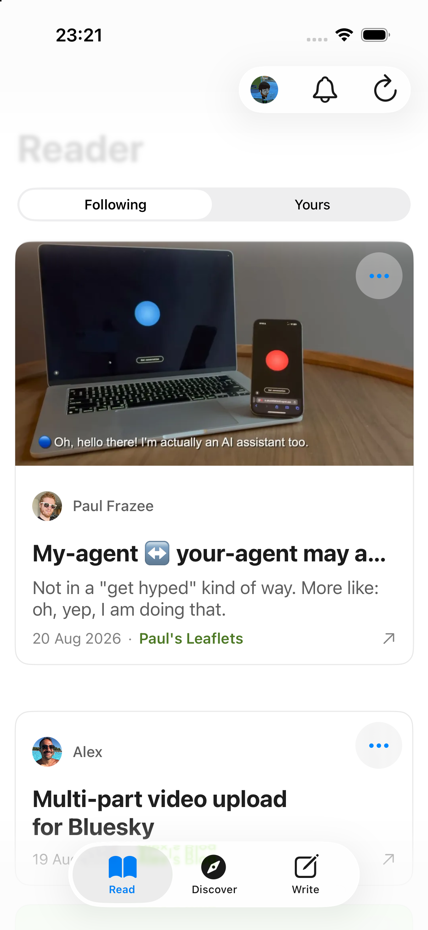
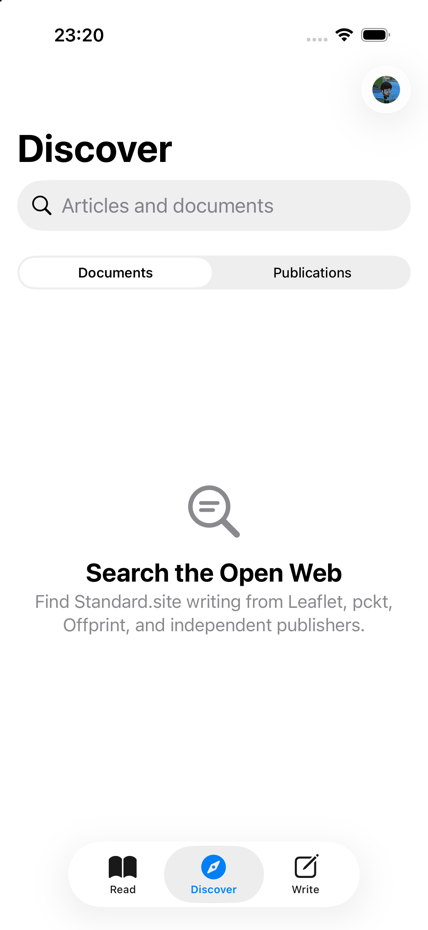
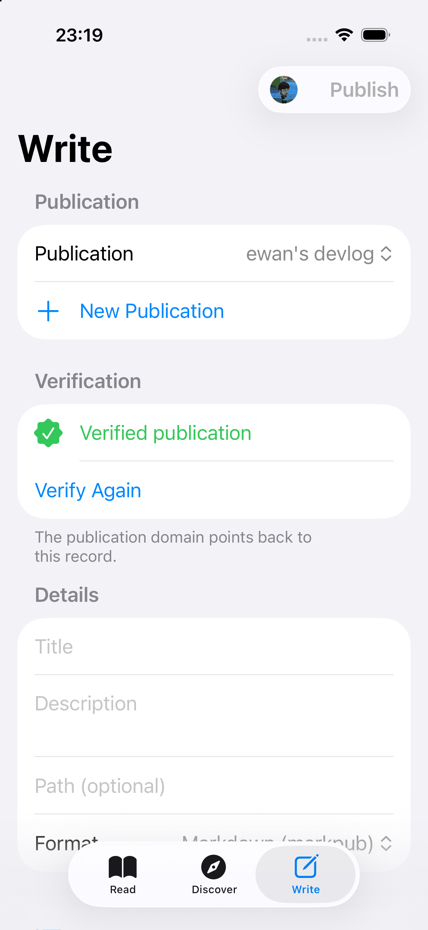
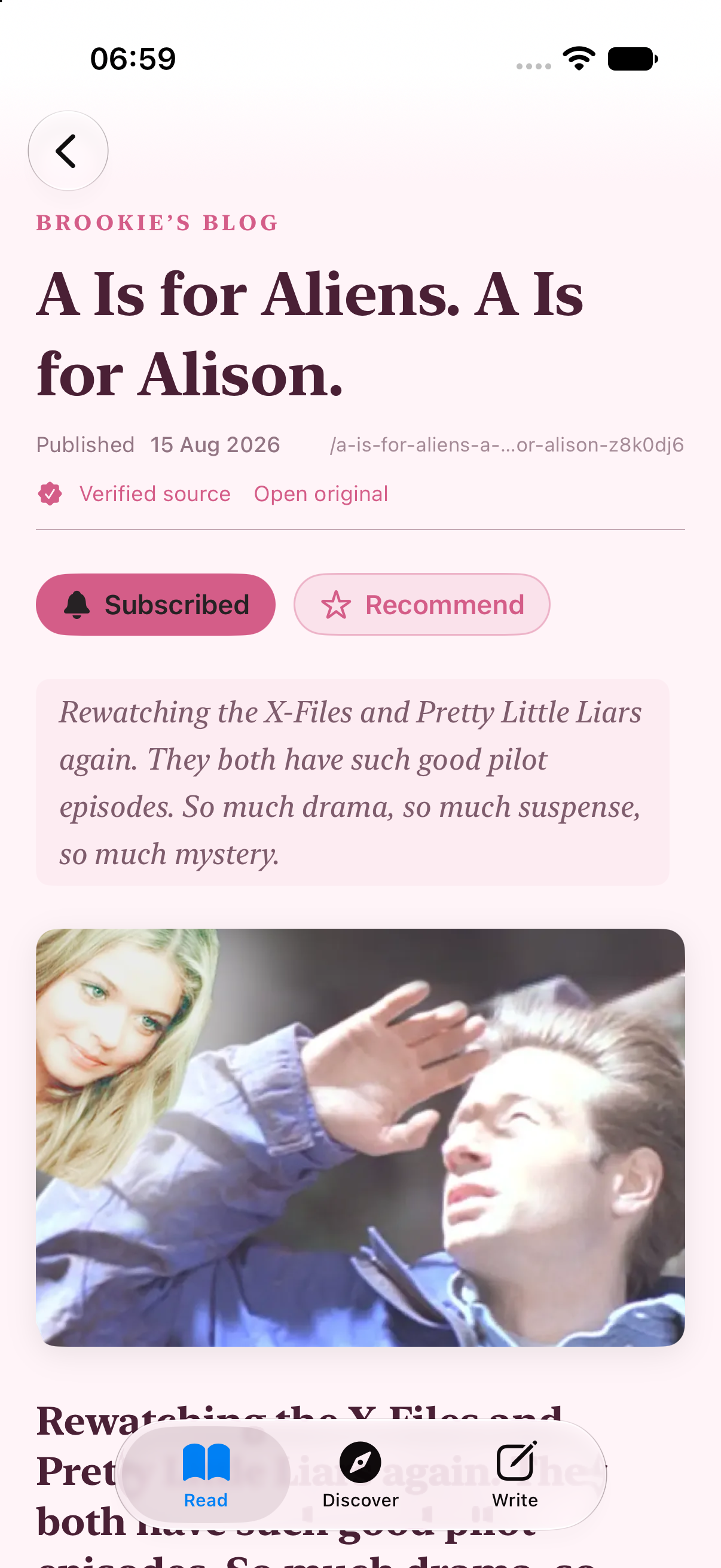
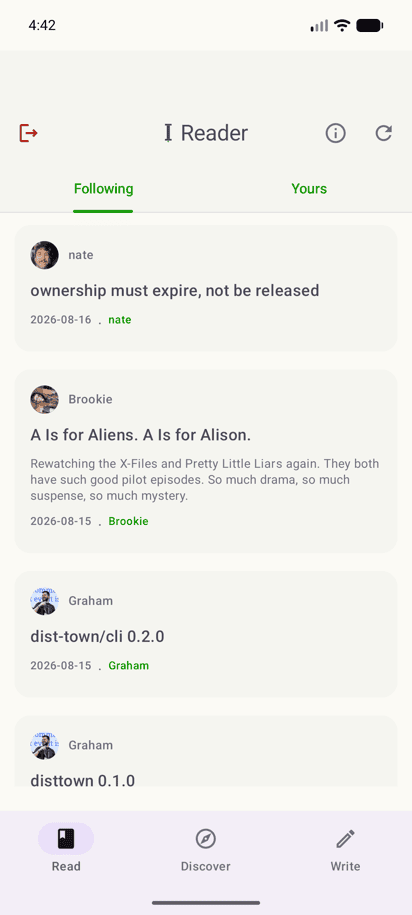
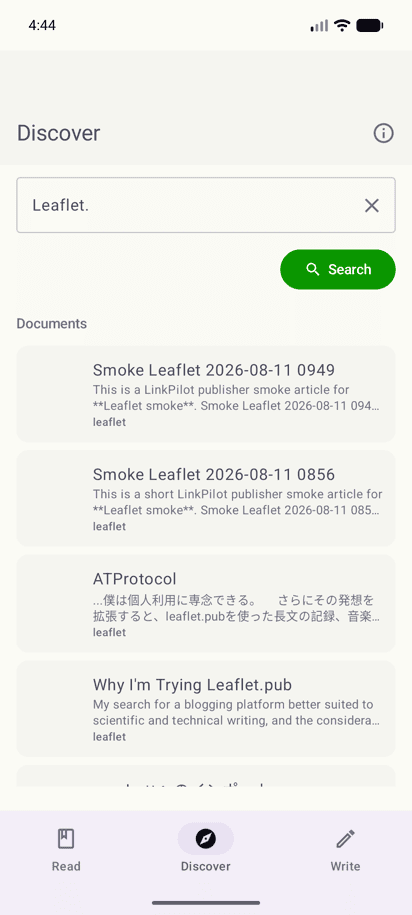
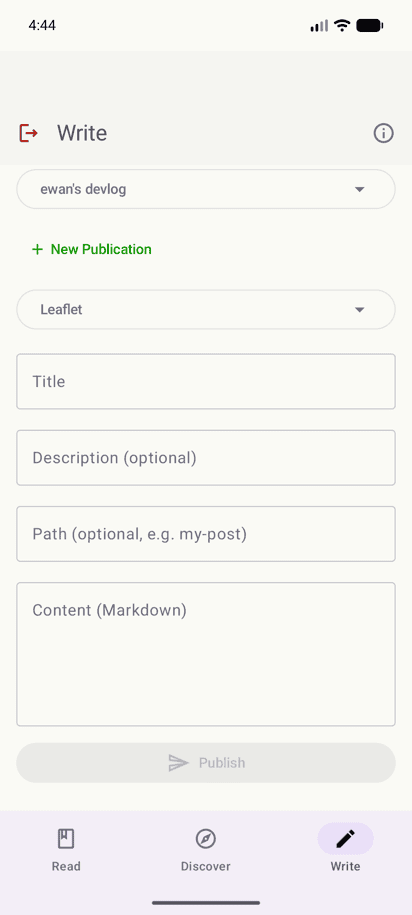
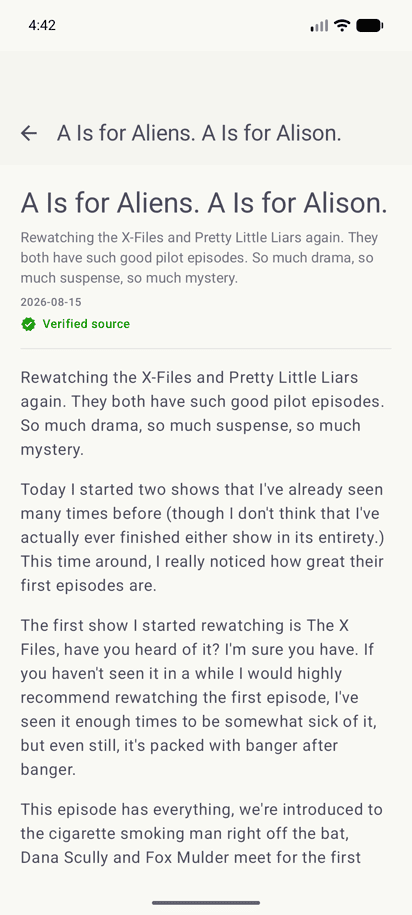
The same calm, three-tab workspace on iOS and Android — read, discover, and write, all from your own PDS.
iOS
Android
What Inkwell does
Read & Discover
Browse publications and documents across the Standard.site ecosystem — Markpub, Leaflet, pckt, and Offprint content, rendered natively from their owning PDS. Search the public index and subscribe to the publications you follow.
Write
Compose in Markdown and publish to your own PDS in your choice of format. Your writing stays a portable record in your repository — not locked into Inkwell.
Native & verified
OAuth sign-in with no app passwords, and every publication or
document can be checked against its .well-known endpoint and canonical link before you trust it.
Secure by design
Inkwell uses OAuth 2.1 to sign in to your Personal Data Server. Your browser opens once to approve access — no password is ever seen or stored by the app. Tokens are DPoP-bound and held in the platform’s secure store, and there's no analytics or tracking in the app or on this site.
Read about securityWhy not just use the browser?
Standard.site content is on the open web, so you can always read it in a browser tab. Here's what a native client adds.
- Sign-in
- In a browser tab Sign in again at each publication you visit
- In Inkwell One OAuth sign-in to your PDS, then you're done
- Credentials
- In a browser tab Held in ordinary browser session state
- In Inkwell Held in the Keychain or EncryptedSharedPreferences
- Following writers
- In a browser tab Bookmark each site and check back manually
- In Inkwell One subscribed feed across every publication
- Authenticity
- In a browser tab Judge it by the address bar
- In Inkwell Checked against
.well-knownand the canonical link - Writing
- In a browser tab A separate web editor, wherever you publish
- In Inkwell Compose and publish without leaving the app
Frequently asked
Is Inkwell in the App Store or Play Store?
Not yet. Inkwell installs from its own self-hosted AltStore source (iOS) or F-Droid repository (Android). The download section includes the planned £5 App Store and Google Play routes too, but those buttons currently use placeholder listing URLs until the real store pages exist. AltStore Classic and F-Droid remain the free install routes.
Do I need a Bluesky account?
No. Inkwell needs an AT Protocol account and a PDS, not specifically an account hosted by Bluesky. A Bluesky-hosted account works, but so does an account on another compatible PDS or one you self-host. You sign in with your AT Protocol handle through OAuth.
Which publishing formats does Inkwell support?
Inkwell reads and publishes Markpub Markdown, Leaflet, pckt, and
Offprint content. It renders those formats natively and keeps portable textContent available as a fallback when a client does not
understand the richer body format. See Features for the format-by-format detail.
Can I edit documents I already published?
Yes. Inkwell can open existing documents for editing and publish an updated revision back to your repository. If you choose to convert a document between formats, the editor reports content that cannot round-trip cleanly before you publish the conversion.
What happens to my writing if Inkwell shuts down?
Nothing happens to it — your documents are AT Protocol records in your own repository on your PDS, not data stored by Inkwell. Any client that speaks the Standard.site record schemas can read or edit them, with or without Inkwell.
Does Inkwell store my writing or account on its own servers?
No. Inkwell reads and writes your content directly on your PDS and has no intermediary database of your documents. Your OAuth session and DPoP key are stored on your device in the platform's secure storage; the app contains no analytics or tracking SDK. See Security and Privacy for the full detail.
Do I need to know AT Protocol to use this?
No. You'll need an AT Protocol account and a PDS to sign in with — Inkwell doesn't create one for you — but from there it works like any reading and writing app. See About if you'd like the background.
How do notifications work?
Inkwell does not send your subscriptions to a push-notification service. The app periodically checks the publications you follow and creates local notifications on your device when it finds new documents. You can turn the OS banners off without losing the in-app notification history.
Can I use the same account on iOS and Android?
Yes. Sign in to the same AT Protocol account and both apps read the same repository-backed publications, documents, subscriptions, and recommendations from your PDS. Device-local preferences such as appearance, accessibility, and notification settings are configured separately on each device.
What versions of iOS and Android are supported?
The iOS app supports iOS 18 and later. The Android app supports Android 8.0 (API 26) and later, and currently targets Android API 36.
Is Android ready?
Yes, for normal use. Android now covers the core Inkwell experience: reading and discovery, publishing and editing across the supported Standard.site formats, comments and interactions, subscriptions and recommendations, verification, notifications, settings, and accessibility and customisation controls. It is still labelled experimental because its Android-specific automated coverage is comparatively thin and iOS remains the primary, more polished implementation.
What does verification protect against?
A publication or document can claim a canonical web address, but a
claim alone isn't proof. Inkwell checks that claim against the
site's .well-known endpoint and its canonical <link> tag, surfacing a mismatch instead of
silently trusting it. More detail on Security.
Availability
iOS primary, Android usable today
Inkwell’s iOS app remains the primary and more polished implementation, but Android now covers the core reading, discovery, writing, interaction, verification, notification, settings, and accessibility flows. Android is still labelled experimental while its platform-specific testing and the remaining edge cases catch up.
Users already using Inkwell
Inkwell users across the network. This carousel is generated from
Constellation backlinks to the uk.ewancroft.inkwell.user lexicon record, resolving DIDs to Bluesky avatars and handle aliases via
Slingshot.

